You built a website. You wrote content. You hit publish. And then nothing obvious happens.
Most business owners assume Google just “finds” their site at some point. And it does. But there is a specific process behind that. Understanding it changes how you think about everything else in search engine optimization (SEO).
This is a plain-language look at what actually happens between your site going live and appearing in search results.
How Google Discovers Your Website
Google doesn’t browse the internet the way a person does. It uses an automated program that follows links from one page to the next, working through billions of web pages over time. That program is called Googlebot.
A common way Google discovers a new site is through a link. When another website links to yours, Googlebot can follow that link and land on your pages. That’s how many sites get found.
But there’s a second path: a sitemap.
A sitemap is a file that lists all your pages in one place. Think of it as a map you hand directly to Google. You can submit it through Google Search Console, which is a free tool Google provides. Doing so tells Google where your pages are without waiting for an outside link to appear.
Both paths lead to the same place. Google adds your pages to a queue of sites waiting to be visited. The timeline isn’t guaranteed. A brand-new site with no links pointing to it could wait weeks or months for Googlebot to show up.
The faster path to getting discovered is to earn links from other real websites. That single step speeds up discovery, and it matters for ranking later, too. A new site with no links is invisible by default. The sooner you start building that presence, the better.
What Crawling Actually Means
Once Google knows your page exists, it sends Googlebot to read it. That process is called crawling.
Googlebot loads your page the same way a web browser would. It reads the text, scans the structure, and follows links to other pages on your site. Then it reads those pages and follows their links too. This fans out across your whole site over time.
The most important thing to know: Google reads text better than anything else. A key message buried in an image or locked in a video without a transcript may not be seen by Googlebot. That doesn’t mean images and video are bad. It means the words on your page need to do the work.
Google can also only crawl accessible pages. Some sites have settings that accidentally block Googlebot from certain pages. This often happens with sites built by developers. They sometimes set privacy or testing options during a build and never switch them off after launch. A page blocked from crawling won’t rank. It won’t show up in search at all.
You don’t need to know the technical details of crawling. But it’s good to know disruptions can happen. A page missing from search results may be blocked. That’s one of the first things worth checking.
Clear writing, a simple page structure, and pages that load without errors all help Google crawl your site without problems. Keep it simple, and crawling tends to take care of itself.
How a Page Gets Indexed
Crawling and indexing are different steps. Crawling is when Google visits your page. Indexing is when it decides to store your page.
Google’s index is its database. When someone searches, Google doesn’t scan the live internet. It searches its index. Pages that aren’t in the index won’t appear in results. They simply don’t exist as far as search is concerned.
Not every page gets indexed. Google looks at the content and decides whether the page is worth storing. Pages that clearly cover a topic, answer a real question, and offer something useful tend to get indexed. Pages that are very short, repeat content from elsewhere on your site, or don’t seem to serve a genuine purpose may get skipped.
This is why content quality matters at every level. A page with a few hundred words of vague text isn’t giving Google much to work with. A page that genuinely answers something a person might search for is a different story.
There’s also a technical setting called a “noindex” tag. This tells Google not to index a specific page. It’s a useful tool when you want to keep certain pages private. It becomes a problem when it’s turned on for pages you want to rank. Check that setting on your most important pages.
How Google Decides Where You Rank
Getting indexed means your page is in the database. Ranking near the top means it shows up when someone searches.
That’s where the real work lives. Google uses many signals to rank pages. But three factors matter most:
1. Relevance
Does your page cover what the searcher is looking for? Google matches the words on your page to the words in the search. Pages that clearly address the topic match up well. Pages that try to cover too many topics at once are harder to match to any single search.
2. Quality
Is your content written for real people? Google has gotten good at distinguishing between content that genuinely helps and content that’s just there to fill space. Pages that answer questions clearly and give readers what they came for tend to rank better over time.
3. Trust
Do other websites link to yours? Links work as endorsements. When a trusted site links to your page, Google reads that as a signal that your content is worth recommending. The more quality sites that link to yours, the more trust your pages carry.
These three work together. A page that’s relevant, well-written, and linked to by other credible sites has a real shot at ranking. Remove any one of those, and the page gets harder to place.
One more thing worth knowing: ranking isn’t a one-time event. Google revisits pages regularly. Update your content or earn new links, and your ranking can shift. SEO is ongoing, not a one-off task.
What You Can Do Right Now
Understanding this process doesn’t require technical knowledge. It just requires a shift in how you look at your website.
Stop asking “why isn’t Google showing my site?” Start asking, “Am I making it easy for Google to find, read, and trust my content?”
That question leads to better choices. Write pages that focus on one topic and cover it well. Make sure your pages load without errors. Look for chances to earn links from other sites in your space. Skip the shortcuts that promise fast results but don’t deliver anything lasting.
The businesses that rank well aren’t doing anything unusual. They publish useful content regularly, build credibility gradually, and remain patient with the process.
SEO has a learning curve. But the curve isn’t as steep as most people think. The foundation is simple: help Google help you. Make your site easy to find, easy to read, and worth recommending.
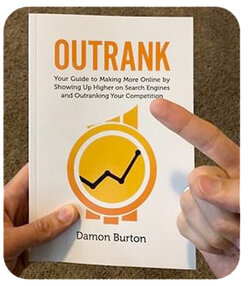
For business owners who want to go deeper, SEO learning books like “Outrank” cover the full picture in plain, practical language. It’s built for people who run businesses, not for marketing professionals, and it picks up right where this kind of overview leaves off.
The process makes sense once you see it clearly. Start there, and the rest gets easier.