Whether you picked up a “learn SEO book” or started with YouTube tutorials, impressions without clicks are one of the first confusing metrics you’ll run into. Your page is appearing in search results. People are searching. But no one is clicking.
This is a common early frustration in search engine optimization (SEO). Impressions measure how often your page appears in results. Clicks measure how often someone actually visits. A wide gap between the two almost always comes back to the same handful of problems. Here’s how to diagnose them:
1. Your Title Isn’t Earning the Click
The title tag is the most visible element in your search listing. It’s the blue clickable headline users see before they read anything else on the page. A title that’s vague, too long, or just not interesting will get skipped, even when your page ranks well.
Common title problems include:
- The title is generic (“Our Services,” “About Us,” or just a company name)
- The title uses internal language that doesn’t match how searchers phrase their queries
- The title is too long and gets cut off in results (over 60 characters risks truncation, aka the … Google will add to titles that are too long to fully display)
- The title doesn’t make a clear promise or answer a clear question
Searchers are moving fast. They scan results and click the one that most directly addresses what they were looking for. Your title needs to speak to that intent in plain language.
Rewrite titles that are vague or internal-facing. Use the language your audience actually searches. A title like “Commercial HVAC Repair” will nearly always outperform “Our Commercial Services” for someone who typed “commercial HVAC repair near me.” The more precisely your title mirrors the searcher’s language and intent, the better your chances of earning the click.
2. Your Meta Description Isn’t Doing Any Work
The meta description is the short paragraph beneath your title in search results. Google doesn’t use it as a direct ranking signal, but it has a direct impact on whether someone decides to click.
Think of it as a two-sentence ad for your page. A weak meta description, or no meta description at all (which causes Google to pull random text from the page), leaves the searcher with no reason to choose your listing over the ones around it.
Effective meta descriptions do three things:
- They confirm the page is relevant to the search
- They tell the user what they’ll find
- They give a reason to click now
“We offer many services for businesses” does none of those things. “We repair commercial HVAC units for businesses in [city], with same-day service available and a free quote on every call” does all three.
Keep meta descriptions under 160 characters. Write them as copy, not filler. Each word is either earning the click or wasting the space.
3. The Page Doesn’t Match What Searchers Actually Want
Search intent is the reason behind a query. Someone searching “how to fix a broken link” wants instructions. Someone searching “broken link checker tool” wants software. Someone searching “broken link checker free” wants a specific type of software, and they’re not interested in a tutorial.
A page that ranks for a keyword but doesn’t match the searcher’s underlying intent will generate impressions without clicks. Users can often tell from the title and description alone that the page won’t give them what they need, so they skip it.
Search intent generally falls into four categories:
- Informational: the searcher wants to learn something.
- Navigational: the searcher wants to find a specific site or page.
- Commercial: the searcher is researching options before making a decision.
- Transactional: the searcher is ready to take action or make a purchase.
A blog post ranking for a transactional keyword will struggle to earn clicks from buyers. A product page ranking for an informational query will confuse researchers. Match your content type to the intent behind the keyword, not just the keyword itself. Pull up your top impression-generating pages in Google Search Console and ask honestly: does this page give the searcher exactly what they were looking for, in the format they were expecting?
4. Stronger Results Are Pushing You Down the Page
Even a well-written listing can lose clicks to stronger competition. Several factors push your result down the priority list for users, and some of them have nothing to do with the quality of your content.
Position matters more than you’d expect. The first result gets a dramatically larger share of clicks than the second, and the drop-off continues down the page. A listing in position eight gets a fraction of the clicks that position one gets, even for the exact same keyword. A jump from page two to page one is significant. A jump from position five to position one is enormous.
Google also places special results above standard organic listings. Featured snippets (short answers pulled from a page and shown at the top), “People Also Ask” boxes, local map packs, and shopping results all capture a large share of clicks before users reach your listing. A page that technically ranks in position three may behave like position seven because of what sits above it.
AI Overviews now appear at the top of many search results. An AI Overview is a summary Google writes at the top of the results, with links to the pages it drew from. Search marketers call the spot above the first result position zero, and this feature works differently from every position below it.
There is no page of ranked results inside an AI Overview. The summary cites a small handful of sources, and your page is either one of them or it doesn’t appear in that answer at all.
Citations carry real weight. A study of 53 brands found that pages cited in an AI Overview earned about 120% more organic clicks per impression than uncited pages on the same searches.1 Your regular listing still shows further down the page, but some searchers stop reading at the summary. Nobody can guarantee a citation, because Google decides which pages to cite.
Recognized brand names attract clicks by default, too. When you see a familiar company name next to an unknown one, you often pick the familiar one without reading either listing carefully.
Rewriting your listing helps sometimes. More often, the fix is to strengthen your ranking position through better content and stronger brand trust and authority signals. You can also restructure content to qualify for a featured snippet or an AI Overview citation. Answer common questions directly in a short, clean block near the top of the page, then back that answer with specific facts. This gives Google a clear piece to pull, and it serves readers who skim.
How to Find the Problem in Google Search Console
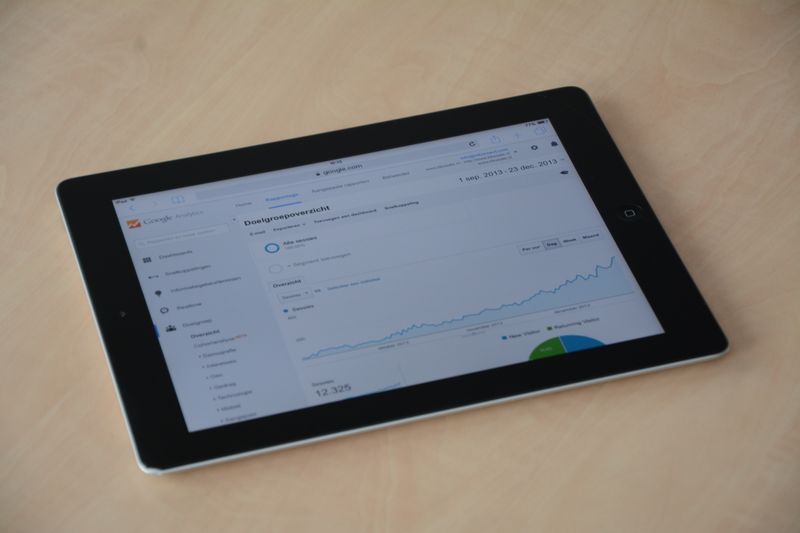
Google Search Console has the data you need to pinpoint a low click-through rate (CTR). The “Search Results” report shows impressions, clicks, CTR, and average position side by side for every page and every query on your site.
Sort by impressions to find pages that appear often but rarely get clicked. A CTR below one to two percent on a page with significant impressions is a clear signal the listing itself is the problem, not the ranking.
Next, filter by individual pages and look at the specific queries driving those impressions. Sometimes your page is appearing for queries that are only loosely related to your content. That search intent mismatch, not a bad title, is the root issue in those cases. The fix is either to adjust the content to serve that query better or to step back from the keyword entirely.
Review each underperforming listing’s title and meta description against the intent of the queries triggering it. Rewrite anything that reads as generic, off-topic, or unclear about what the page actually delivers. Small rewrites to titles and descriptions often produce measurable CTR gains within weeks, without changing the ranking itself.
Impressions Prove You’re in the Game. Qualified Clicks Prove You’re Worth It.
Impressions mean Google thinks your page belongs in the conversation. That’s a start. But rankings and impressions don’t drive business. Clicks that convert do.
Most click-through rate problems trace back to one root cause: the listing doesn’t clearly tell the searcher that clicking is worth their time. Fix the title, sharpen the meta description, and align the content with search intent. Those three changes address most low-CTR situations without affecting your ranking position at all.
Want to understand how all of this fits together from the ground up? Check out this SEO starter book that breaks down how SEO works in plain language, written for business owners who want real results without the jargon.